- Experience of e-learning design software – Storyline, Articulate etc. including AI
- Experience of working with L&D professionals, identifying multimedia needed from storyboards and providing options
- Experience of designing interactive, quality first multimedia for e-learning aligned to industry standards and outcomes
Supervising a collaborative doctorate
Context
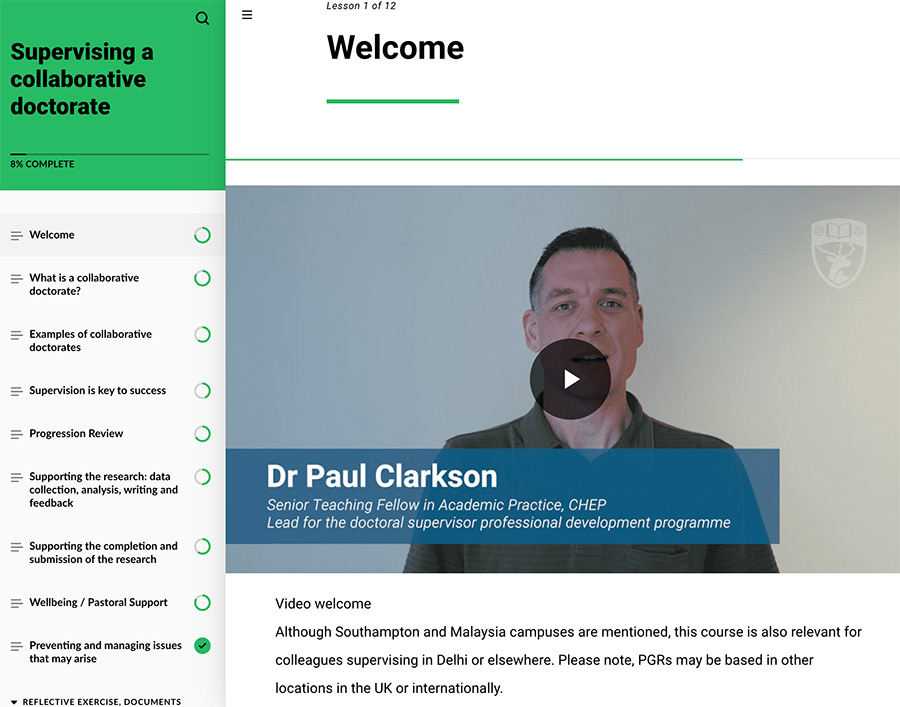
This 30-minute course was authored in Articulate Rise 360 to provide access for external advisors from other universities, the NHS and industry who are supervising PhD students at the University of Southampton.
The principal author Dr. Paul Clarkson is experienced working with Rise 360, which aided collaboration. Paul had created the structure and some basic PowerPoint slides of the content.
My contribution
I filmed the introduction in 4K using Blackmagic and Sony cameras, adding lower thirds and the University branding of the hart symbol top right as a watermark in Adobe Premiere.

I edited Paul’s slides to use the University brand colours and Roboto font and provided multiple options for stock images from our Microsoft account, supplemented with credited free images from Unsplash and a few paid images from Shutterstock. These were added to timelines in Adobe Premiere, where I added restrained animation to reveal paragraphs as they were spoken, timed to match voiceovers I recorded with Paul with a Sennheiser mic and Zoom recorder. I employed the excellent AI vocal clean-up tools within Adobe Audition, Premiere and Resolve to reduce room reverb and external sounds inevitable in a busy university. After agreeing optimal export size and format I rendered the videos and generated subtitles.
Accurate subtitles and transcripts were essential to meet Web Content Accessibility Guidelines (WCAG) and the requirement that ‘universities have an anticipatory duty to ensure accessibility and inclusivity.’ I carefully edited the SRT and WebVTT subtitle files that were automatically generated by Adobe Premiere. The course is screen reader compatible (JAWS, NVDA (Windows), VoiceOver (Mac, iOS/iPadOS), and TalkBack (Android OS) – making it possible to ‘tab’ through the course without using the sidebar navigation. All images have alt text descriptions and activities that cannot be undertaken using a keyboard have alternative formats.
Feedback
“The media and presentation are excellent and accessible – really professional look and feel and excellent transition through the resource.”
Neil Ford (National Teaching Fellow) Centre for Higher Education Practice review panel signing the project off for release.
Appendix
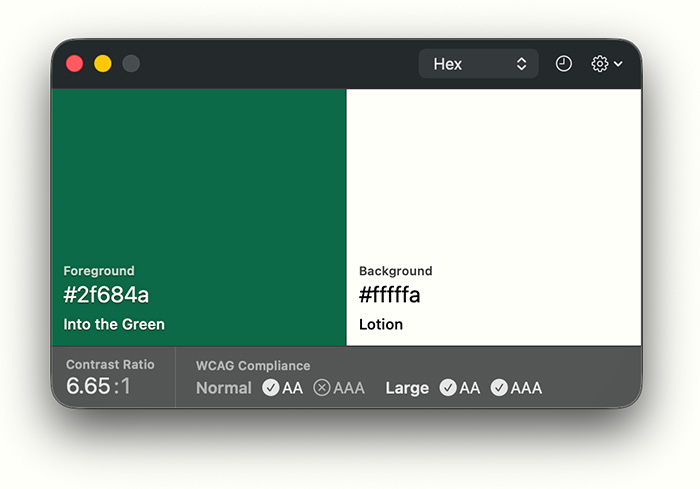
I collaborated with Dr Paul Clarkson on several projects, including some ‘Tube Map’ style infographics shown in the screenshot and the PhD Supervisor Guide created in ThingLink. I extended the strong University brand colours with tints to improve contrast for smaller type to meet Web Content Accessibility Guidelines (WCAG), using the free Mac-only Pika contrast checker (which also indicated that I needed to increase the font size for the green text at the top of these portfolio pages).

Click here to view the accessible version of this interactive content