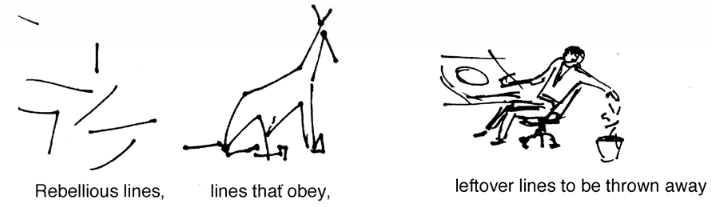
Drawing storyboards helps to plan what will be needed once filming starts, important for animation, games design or live-action films and storyboards have also been used to plan the design and flow of websites and interactive training.
It’s about getting the essence of the action and emotion across in the frame, which may be different from the styles of drawing you have done previously. While they can be beautiful, they must be useful.
Do you know who is credited with inventing the storyboard?
Click here to view the accessible version of this interactive content
Intro to Storyboarding
As a text link: https://www.youtube.com/watch?v=RQsvhq28sOI
Storyboard examples
Many styles are showcased on thestoryboardartist.com
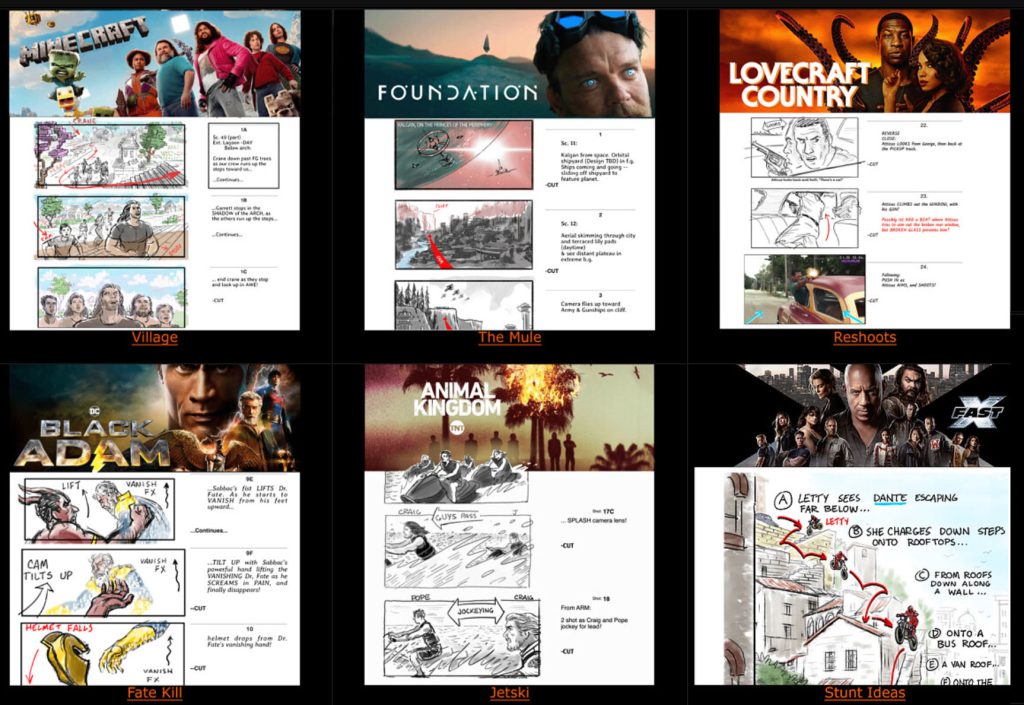
Some background reading: history and concepts behind storyboarding
Pitching your storyboards
Creativebloq’s excellent storyboard-tips from Imagine fx
Download PDFs: Nick Park of Aardman’s Wallace & Gromit | Storyboarding the Simpsons Way
Conventional storyboard templates can lead to a kind of flat ‘Punch and Judy’ approach with characters simply arriving and leaving on the left or right edges.
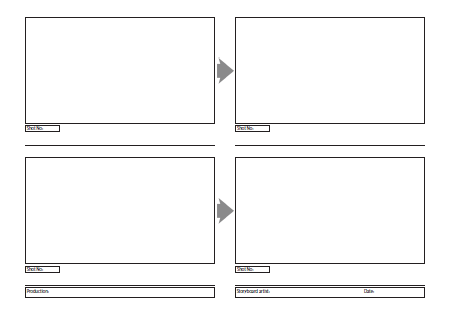
If you just need basic storyboards here is a printable sheet with 4 standard storyboard screens, each 16:9 HD ratio on either A3 paper or A4 paper landscape that look like this:
This more interesting widescreen storyboard template can be downloaded for your projects and includes a ‘top-down’ view:
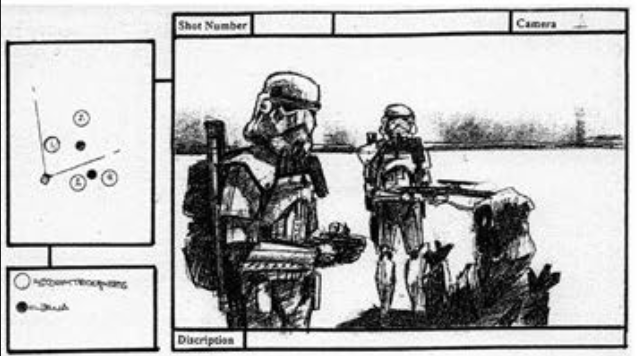
This can prompt us to think in 3 dimensions, suggesting character or camera moves.
The camera view is represented by a triangle, and in this Star Wars Troopers fan movie example, you can see that there are two more stormtroopers and an additional Jawa just out of view to the right.
As the director, will you have one or more of these characters run into the scene, or do you pan the camera right to show them, or dolly/zoom out to a wider shot to include all of the protagonists?
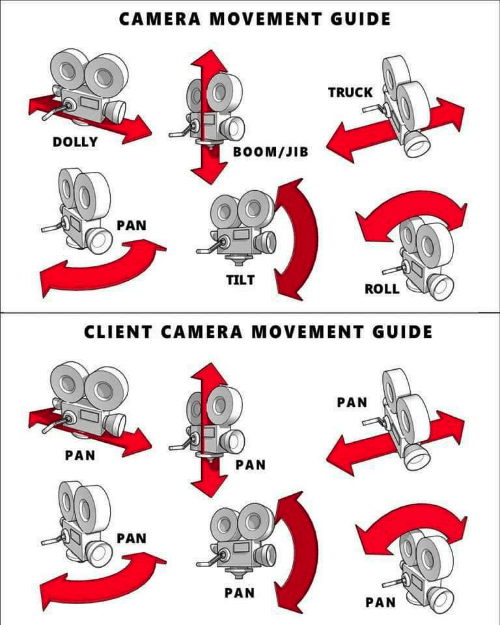
Click here to view the accessible version of this interactive content
This top-down view is taken further by the brilliant Shot Generator in the free Storyboarder app …
Storyboarder
FREE Storyboarder app for Mac/Windows/Linux Getting started FAQ
Allows you to generate shots with posable figures, moveable cameras and lights, then create drawn animatics, scan in or print out, export to video editing apps…
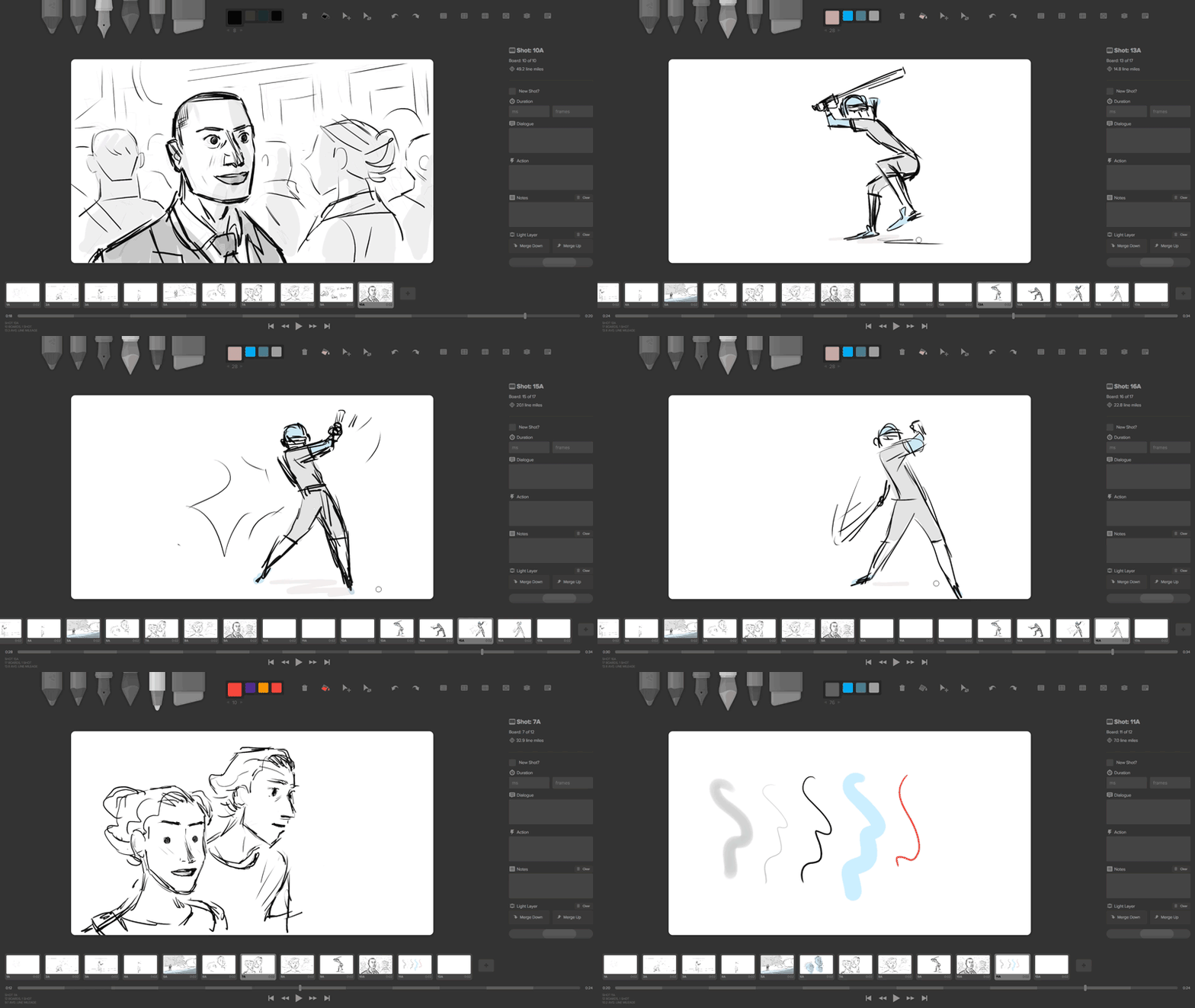
Storyboarder YouTube tutorial. Rig your own characters YouTube tutorial. GitHub support
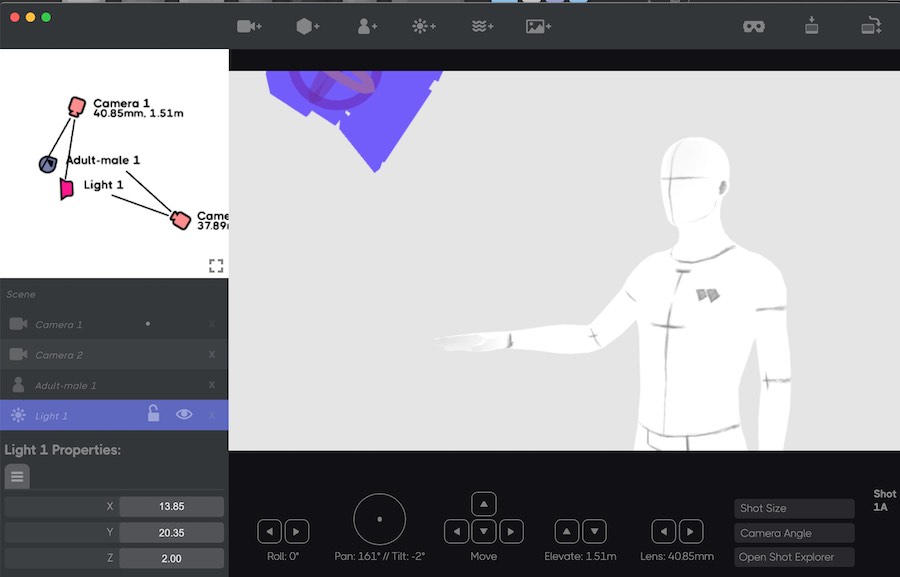
This screen capture from the Storyboarder Shot Generator shows us adjusting the angle of a spotlight. You can drag characters, cameras, props and lights around in the top-down view at top left, and then be very precise using the slider controls. Multiple cameras allow you to switch viewpoints and close-ups back and forth as needed.
Storyboard That
Simple online storyboarding software with free option: storyboardthat.com/
Celtx and Studiobinder are online aids helping you to script, storyboard and plan your production.
Cuts & Transitions
As a text link: https://www.youtube.com/watch?v=OAH0MoAv2CI
Colour theory advice
Generative AI Storyboards
If you lack confidence in your ability to draw boards, even with stick figures, there are some generative AI tools that can assist you. You should question the sustainability of AI and its use of massive amounts of energy and water. There are also some requirements unique to storyboarding to watch out for:
Consistency: Many GenAI tools create different styles and designs each time you prompt. It is important to maintain character and style continuity across multiple panels – otherwise it will be confusing and your main protagonist may be interpreted as multiple characters instead.
Script-to-Scene: Automatically converts text into visual, descriptive frames.
Customisation: Adjustments to camera angles, lighting, and scene elements to get closer to your vision.
Exporting: Ability to download in formats like JPEG, PDF or MP4 for editing together or for additional work in other software
Some options with free initial access to test their features (most will find a way to charge you eventually).
- Adobe Firefly (Firefly Boards): Generates scenes from text, maintaining consistent character/style across panels. Adobe claims to have only used licensed images to train their base model so you can use your outputs commercially without worrying whether you have accidentally infringed copyright. You can also train your own custom model by uploading your own images to establish the style you want. Adobe promises not to use these to train the base model, just your own style. Image © Adobe.
- Comfy: Comfy desktop is free and runs on your own PC or Mac, not cloud-based through a browser (though there is a commercial version too that does at cost). With the desktop version you never upload your own images or ideas so you can be confident they will not be stolen or used to train an AI model. The workflow uses nodes in the style of high-end video, VFX and 3D games engines and so has a bit of a learning curve, though you can download other people’s workflows from Comfy or third-party sites (some blocked from the UK).

- Canva: Provides AI-powered tools and templates for storyboarding.
- Boords: An online tool that turns scripts into visual storyboards, including options for animatics.
- Higgsfield Popcorn: Offers daily free credits to generate scenes, edit elements, and maintain continuity.
- StoryTribe: Allows creation of illustrated storyboards with drag-and-drop features.
- Shai Creative: Offers a free tier for generating the first 10 scenes from a script.
- Dashtoon: Specialized in transforming ideas into visual, professional-quality storyboards.
- LTX Studio: Enables AI-driven scene generation and editing.
- Krock AI: Combines storyboarding with project management.
- Miro: Offers an AI-powered, collaborative whiteboard for creating storyboards
Animatics
The next stage is to bring your storyboards to life as animatics to give some timing and pacing to your ideas.
‘We all have 10,000 bad drawings in us, the sooner we get them out the better’*
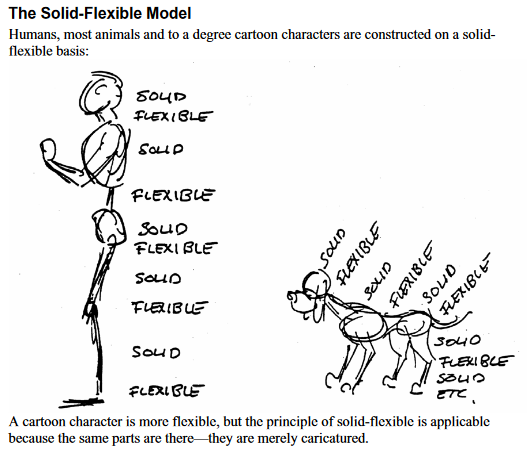
* Stanchfield means you need to practice and practice to reach a better level. One system which might help is the concept of Solid-Flexible, useful for making animation puppets too. Drawings by Walt Stanchfield. Disney animators would attend life drawing classes run by Walt Stanchfield – his notes are available as a pdf here for free.
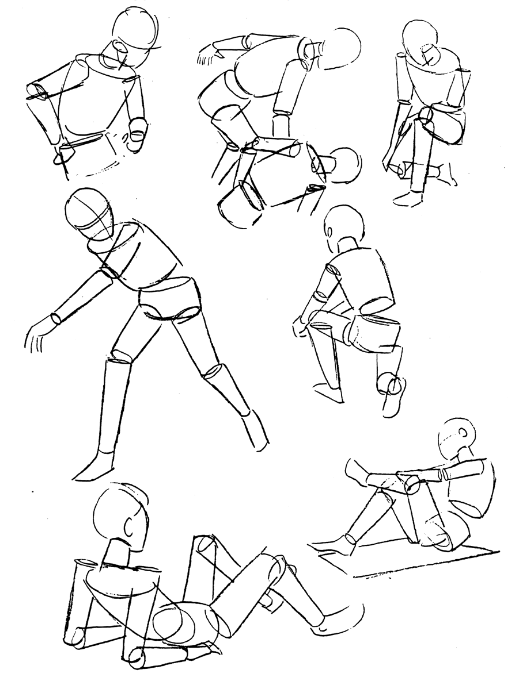
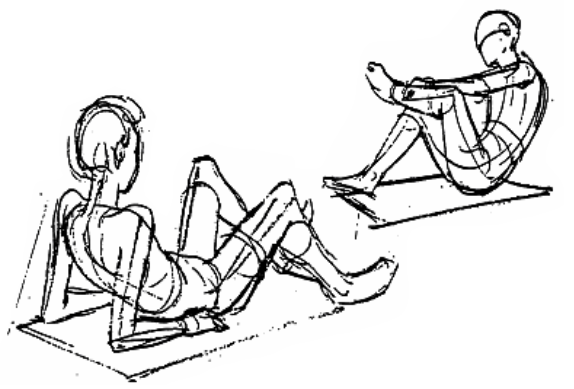
Drawing storyboards can be made much easier when you have some decent references. You might prefer to draw over the output from one of these applications or just use the images they create as ‘pre-viz’ – pre-visualisation, sometimes given some movement and turned into an ‘animatic’ which is a first draft version of the film, often with some basic dialogue and soundFX:
https://www.daz3d.com/ is a FREE alternative on Windows and Mac of Poser (which was used for anime ‘Rwby’)
There are also phone variants (by different companies):
Android: Easy Poser and Magic Poser.
iOS: Easy Poser and Magic Poser
Perspective Drawing in Photoshop! Grids and Tips – YouTube
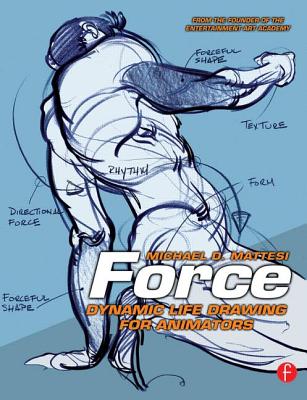
Solent University recommend the book Force – Dynamic Drawing for Animators by Michael Mattesi.